Share an idea. Check whether the data model supports it. Claude builds it and publishes it to your DashboardHC menu, and you share it with a team from there. Here is one, start to finish — with the finished app at the bottom to try.
Claude·a real session, condensed
01
Share an idea
Kevin → Claudehere’s an idea — could we simulate changes in payer mix? does the data model support that?
It could have been any question — flag buildings carrying agency hours, rank readmissions by cost, find Medicaid pending older than 90 days. The first move is always the same: ask whether the model can answer it.
Asking first is cheap. It also turned up a bed table returning the same number for every building, which nobody had noticed.02
Build it
Claude writes it, runs it against the real rows, and checks its own work before anyone sees it.
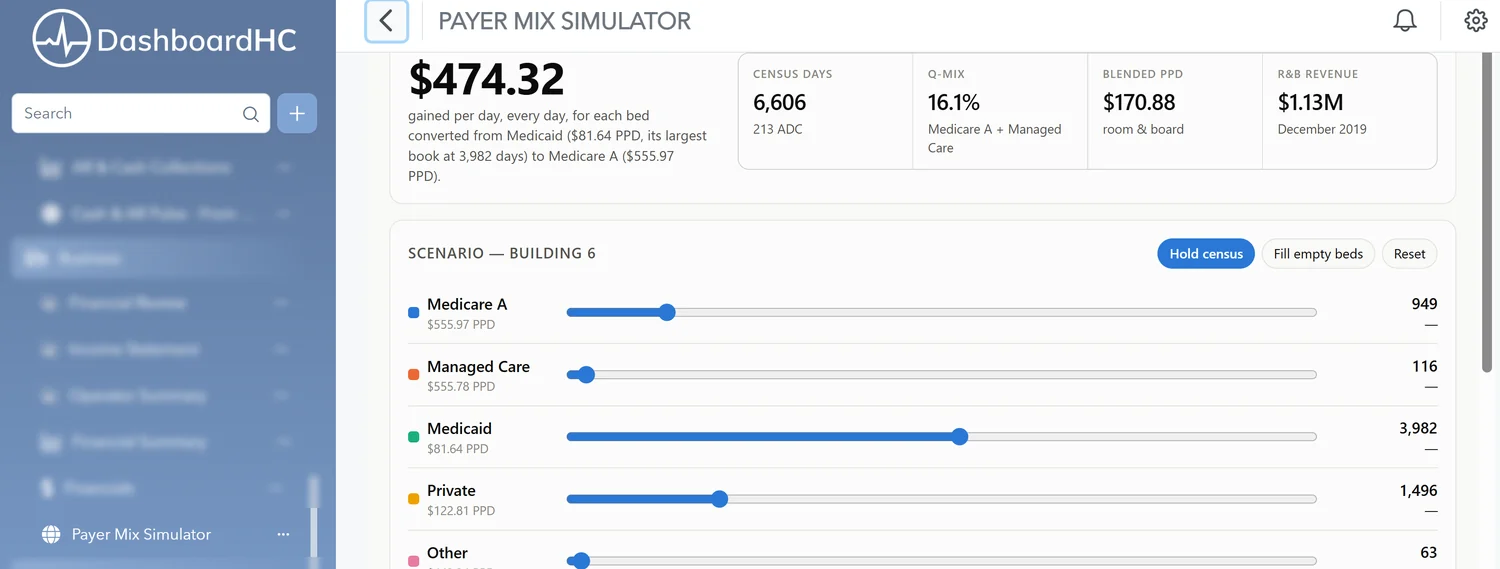
Three views off the same numbers, so nobody is handed a screen built for somebody else’s job.03
Claude publishes it to DashboardHC
This is the part people assume needs an engineer. It doesn’t. Publishing to DashboardHC is something Claude can do itself — no export, no hand-off, no ticket. Five or ten minutes later, depending on how much there is to ship, it is sitting on the menu next to the dashboards you already use.
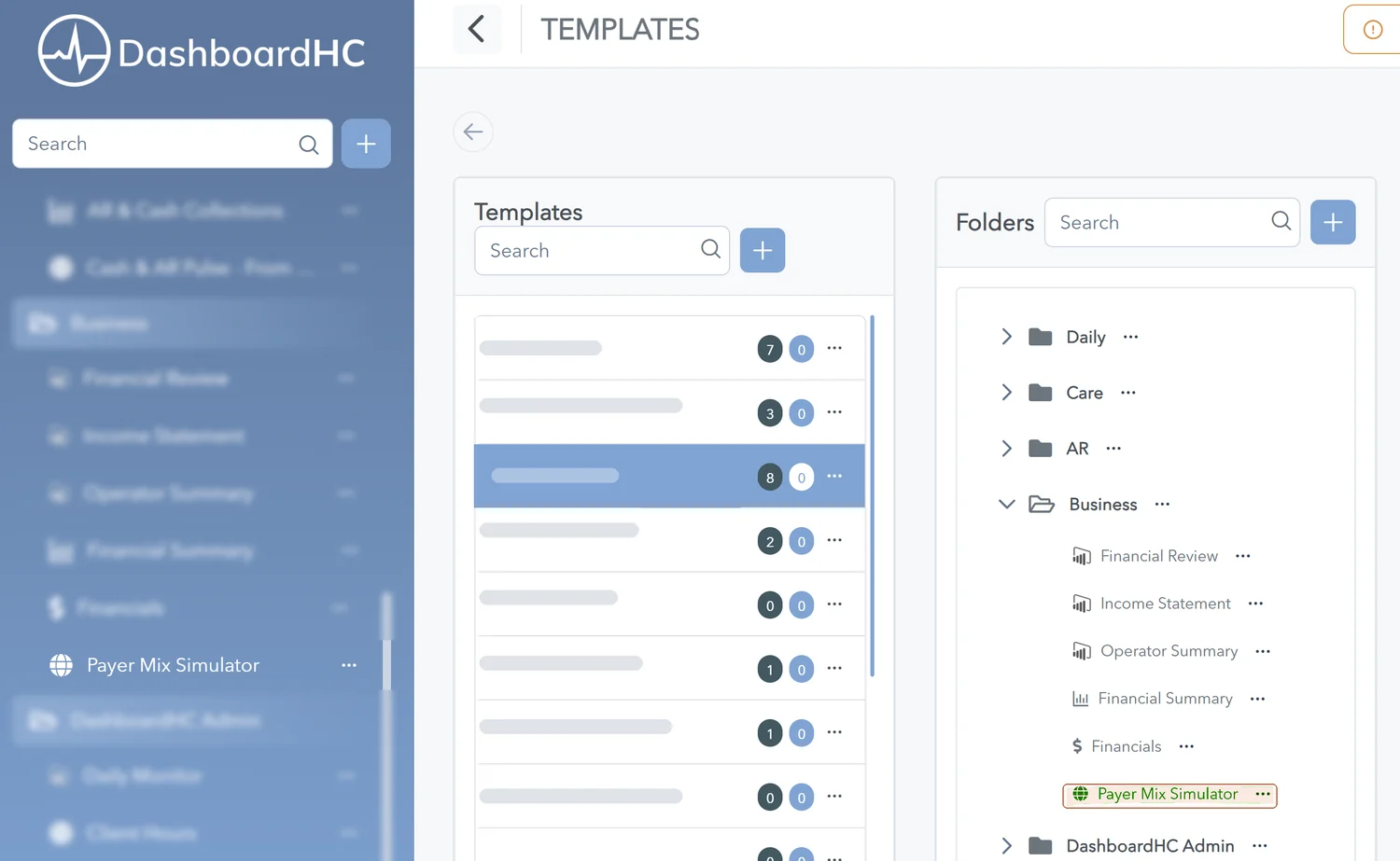
Running inside DashboardHC, listed in the left menu under Business with everything else. You open it exactly the way you open Financial Summary.04
Share it with your team
Nobody else sees it until you say so. To roll it out, find the template that group already uses — say your Admissions template — and add the app to it. Everyone on that template picks it up on their own menu, still scoped to the buildings they already have access to.
Templates, with the app now sitting in the Business folder. Drop it into the Admissions template and every admissions user picks it up — still scoped to the buildings they each have access to.